
Ghidra download for Windows
Use the official ZIP on 64-bit Windows 10 or Windows 11. Ghidra is portable software, so there is no official EXE or MSI installer.
- Launch with ghidraRun.bat
- Windows 10 build 1809 or later
- JDK 21 64-bit required
Download Ghidra for Windows, macOS, or Linux from the official National Security Agency GitHub release. This is the current multi-platform build, with the required JDK version, verified filename, SHA-256 checksum, and installation guidance collected in one place.
View the official GitHub releaseThe file is delivered directly by github.com/NationalSecurityAgency/ghidra after a 15-second countdown. We do not mirror, modify, or repackage it.
93a5d11a9ad510622acaaf908c556a7b9b764d338e78a7567f3689bf5081fd54
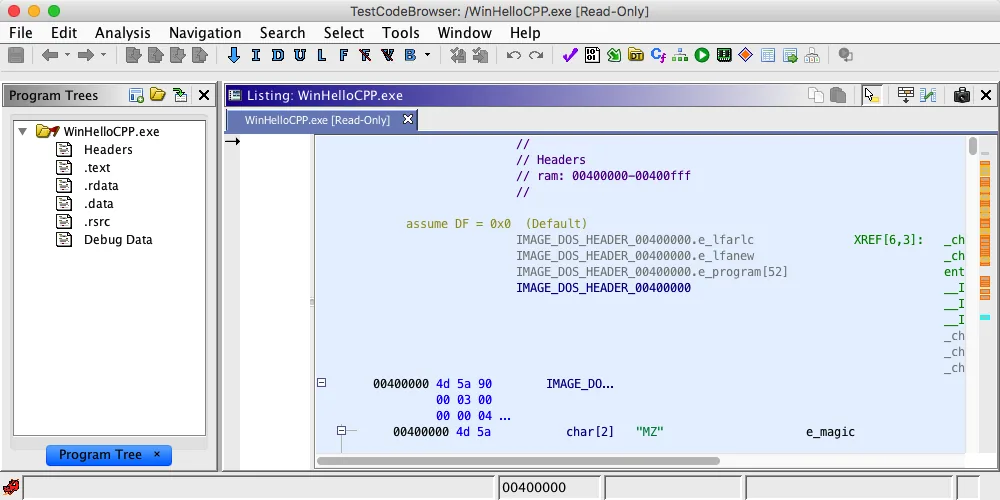
Ghidra does not publish separate Windows, macOS, and Linux application archives. The same official ZIP contains platform launch scripts and most required components. Choose your platform guide below for the correct Java setup, launch command, and platform-specific troubleshooting.
Use the official ZIP on 64-bit Windows 10 or Windows 11. Ghidra is portable software, so there is no official EXE or MSI installer.
Install the same ZIP on Intel or Apple Silicon Macs. Review Gatekeeper quarantine handling and native component notes before first launch.
The upstream ZIP is the most direct route on Ubuntu, Debian, Fedora, Arch, and other 64-bit distributions. No official NSA apt package is published.
Ghidra uses an extract-and-run installation. It does not add registry entries, create a Start menu item, or install a background service for normal desktop use.
Install a full Java Development Kit, not only a minimal Java runtime. Adoptium Temurin and Amazon Corretto are listed by the Ghidra project as free JDK 21 options.
java -versionChoose the file named ghidra_12.1.3_PUBLIC_20260817.zip under GitHub release Assets. The automatically generated Source code ZIP files are not the runnable distribution.
ghidra_12.1.3_PUBLIC_20260817.zipUnzip the archive into a directory you can write to. Do not extract a new Ghidra version over an old installation; keep versions in separate directories.
ghidra_12.1.3_PUBLICOn Windows, open ghidraRun.bat. On Linux or macOS, run ./ghidraRun from a terminal or desktop file manager after ensuring the script can execute.
ghidraRun.bat / ./ghidraRunThere is no official ghidra.exe or Ghidra MSI installer. The supported Windows workflow is to extract the multi-platform ZIP and run ghidraRun.bat. Avoid third-party sites that repackage Ghidra as an unknown executable.
Ghidra is a free and open-source software reverse engineering framework created and maintained by the National Security Agency Research Directorate. Security researchers, malware analysts, firmware engineers, students, and developers use it to examine compiled programs when source code is unavailable. The suite can import common executable formats, identify machine instructions, model program structure, recover higher-level pseudocode, inspect data types, and automate analysis through scripts.
A Ghidra download is not a cloud service or limited online decompiler. The application runs locally and stores projects on your computer unless you deliberately configure a collaborative Ghidra Server. Its CodeBrowser connects disassembly listings, symbols, functions, references, memory maps, data types, graphs, and the decompiler in one workspace. Ghidra also includes headless analysis tools for repeatable batch work and PyGhidra support for CPython-driven automation.
The official public release supports interactive and automated analysis across many processor instruction sets and file formats. That breadth makes the first installation larger than a small single-purpose disassembler, but it also means the same tool can move from a Windows PE sample to Linux ELF binaries, firmware images, object files, and custom processor work. Only analyze software and systems you are authorized to inspect.
These requirements come from the Ghidra 12.1 Getting Started documentation. More memory and storage are helpful when importing large binaries or maintaining several analysis projects.
| Requirement | Official minimum or support | Practical note |
|---|---|---|
| Operating system | Windows 10 build 1809+, Linux, or macOS 10.13+ | All 32-bit OS installations are deprecated. |
| Java | Java 21 64-bit Runtime and Development Kit | Install a JDK; Ghidra may prompt for its home directory if it cannot find one. |
| Memory | 4 GB RAM | Large programs, decompilation, and parallel analysis benefit from additional RAM. |
| Storage | 1 GB for installed Ghidra binaries | Reserve extra space for the 543.1 MiB ZIP, extracted files, projects, caches, and exports. |
| Python | Python 3.9 to 3.14 for Debugger and PyGhidra features | Python is not required simply to open the standard Ghidra GUI. |
| Display | Dual monitors strongly suggested | A single display works, but multiple analysis panes are easier to arrange with more space. |
Ghidra checks Java during startup. If a compatible JDK is on PATH or identified through JAVA_HOME, the launcher normally locates it automatically. If Java is missing or unsupported, install JDK 21 and start Ghidra again rather than downloading an older, potentially vulnerable Ghidra version merely to match an old Java installation.
Platform support and bundled native components are not identical concepts. The official archive includes Windows x86-64, Windows ARM64 through x86 emulation, and Linux x86-64 native components. macOS Intel, macOS ARM64, Linux ARM64, and some additional systems can require locally built native components for features that depend on them. The platform pages explain the distinction without presenting unofficial builds as official downloads.
GitHub shows the runnable Ghidra archive under the release's Assets section, followed by automatically generated Source code archives. For a normal installation, the correct file follows the pattern ghidra_<version>_PUBLIC_<date>.zip. Source code packages are intended for developers who want to build Ghidra, not users who want to launch the pre-built application.
After the 15-second countdown, the download button on this site opens the verified asset URL on the official NationalSecurityAgency/ghidra repository. Keeping the publisher domain visible matters because download-focused searches attract mirrors and repackagers. A third-party EXE may add an installer wrapper, change the file, or lag behind current security fixes. The upstream ZIP is the clearest provenance path.
You can compare the downloaded file with the SHA-256 value published in the official release notes. On Windows use Get-FileHash; on macOS use shasum -a 256; on Linux use sha256sum. The result must match every character of the checksum shown near the top of this page.
ghidra_12.1.3_PUBLIC_20260817.zipNationalSecurityAgency/ghidraGhidra_12.1.3_buildAnswers to the questions that most often interrupt a first Ghidra download or launch.
Yes. Ghidra is free and open-source software. The official public repository publishes releases without a purchase or subscription requirement.
No. The official release is one multi-platform ZIP. The platform changes the launch script and some native-component requirements, not the primary download file.
No official EXE or MSI installer is published. Extract the official ZIP and run ghidraRun.bat. This portable approach does not normally require administrator privileges when you choose a writable folder.
No. Ghidra 12.1 requires a 64-bit Java 21 Runtime and Development Kit. A compatible JDK must be discoverable through PATH, JAVA_HOME, or the location prompt shown by the launcher.
Choose ghidra_12.1.3_PUBLIC_20260817.zip from Assets. Do not choose the GitHub-generated Source code ZIP or tar.gz when your goal is to install and run Ghidra.
The Ghidra 12.1.3 release ZIP is 569,445,154 bytes, approximately 543.1 MiB. The extracted installation needs about 1 GB, with more storage required for projects and caches.
Download the newer release and extract it into a new directory. Back up projects first and do not overwrite the old installation. Opening and saving upgraded programs can make them incompatible with older Ghidra versions.
No. This is an independent download and installation guide. Ghidra is maintained by the NSA Research Directorate, and downloads on this site point directly to the official GitHub repository.
Get the verified Ghidra 12.1.3 multi-platform ZIP from the official GitHub release, then follow the guide for your operating system.