
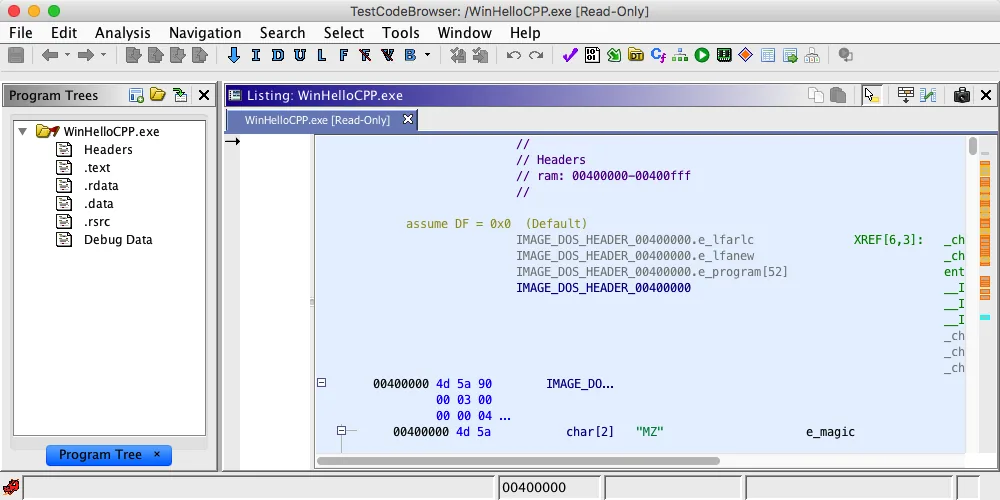
How to download Ghidra for macOS safely
To download Ghidra for macOS from the upstream project, choose ghidra_12.1.3_PUBLIC_20260817.zip on the official Ghidra 12.1.3 GitHub release. This download serves Intel and Apple Silicon; the maintainers do not publish separate DMG or PKG variants. The Java application and platform launch scripts share one archive, while host-specific native components determine whether some debugging and helper features run from bundled binaries or need a local build.
The official Getting Started document lists macOS 10.13 or later as supported and deprecates all 32-bit operating-system installations. Both macOS x86-64 and macOS ARM64 appear in the supported native-component build list, but pre-built native binaries are not supplied for those Mac targets in the same way they are for Windows x86-64 and Linux x86-64. The core Java interface can start without treating an unofficial Mac download as the official download; build native components when a feature actually needs them.
When you download Ghidra for macOS from this page, the button opens the exact official GitHub asset after a 15-second countdown. The file is approximately 543.1 MiB and uses SHA-256 93a5d11a9ad510622acaaf908c556a7b9b764d338e78a7567f3689bf5081fd54. Verify that value before installation when download integrity is important.
People searching for Ghidra macOS or Ghidra for Mac usually need the same official multi-platform ZIP: it supports Intel and Apple Silicon hosts, while JDK 21 and the ./ghidraRun launcher handle the main desktop setup. Use the native-component steps only when a feature requires them.
shasum -a 256 ghidra_12.1.3_PUBLIC_20260817.zipInstall JDK 21 on macOS
Ghidra 12.1 requires a 64-bit Java 21 Runtime and Development Kit. Install a JDK build matching your Mac architecture. Adoptium Temurin and Amazon Corretto provide macOS packages for Intel and Apple Silicon. A native ARM64 JDK is generally the clearest choice on Apple Silicon, while an x64 JDK is appropriate on Intel Macs.
Open a new Terminal window after installing Java and run java -version and javac -version. Both commands should report version 21. Ghidra checks JAVA_HOME and PATH; if it cannot locate a supported JDK, the launcher can prompt for the Java home. The macOS helper /usr/libexec/java_home -v 21 prints the detected JDK 21 home directory and is useful when multiple Java versions are installed.
Do not replace a working JDK needed by another application. macOS can keep several JDK installations. Set JAVA_HOME for the shell that starts Ghidra or use the documented launcher property when you need an explicit selection. Confirm the JDK architecture with the vendor package and Terminal output rather than assuming a translated x64 Java is native ARM64.
java -version && javac -version/usr/libexec/java_home -v 21Remove Gatekeeper quarantine before extraction
The official installation notes warn that macOS Gatekeeper may quarantine pre-built unsigned native components when Ghidra launches for the first time. The recommended preventative approach is to remove the quarantine attribute from the download ZIP before extracting it. Run the command only after verifying that the ZIP came from the official repository and that its SHA-256 matches the published release value.
In Terminal, change to the download directory and run xattr -d com.apple.quarantine ghidra_12.1.3_PUBLIC_20260817.zip. Then extract the archive normally. Removing the attribute from the archive before extraction prevents the quarantine marker from propagating to its contents. This is more precise than disabling Gatekeeper system-wide and keeps the decision limited to the verified file.
The other official path is to build native components before first launch. That approach needs JDK 21, Gradle 8.5 or the provided wrapper with internet access, Xcode or Command Line Tools for Xcode, and the commands described in the native build section. Choose it when you want locally built Mac-native helpers or when quarantine handling is not appropriate for your environment.
Use the narrow xattr command only for the verified official download archive, or build the native components. Broad system security changes are unnecessary for a normal Ghidra installation.
xattr -d com.apple.quarantine ghidra_12.1.3_PUBLIC_20260817.zipxcode-select --installExtract and launch Ghidra on macOS
Extract the download ZIP into a fresh directory under your home folder, such as ~/Applications/ghidra_12.1.3_PUBLIC or ~/Tools/ghidra_12.1.3_PUBLIC. Do not merge it into an older installation. Open Terminal, change into the directory, and run ./ghidraRun. If the shell reports permission denied, inspect the script permissions and restore the executable bit with chmod +x ghidraRun rather than running the entire application as root.
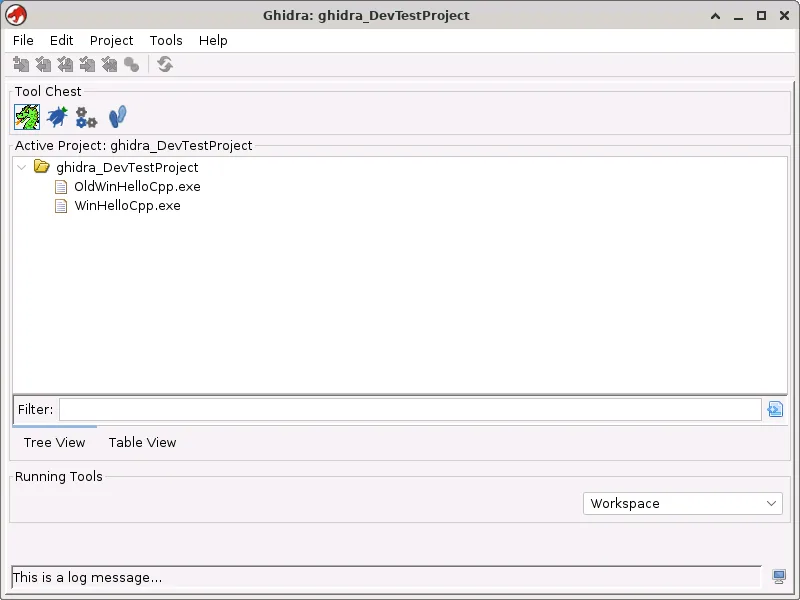
The first launch creates user settings and caches in standard profile locations outside the installation directory. When the Project Window appears, create a non-shared local project and choose a directory that is writable and included in your backup strategy. Ghidra does not automatically create a macOS Applications bundle or Dock entry; you can make a launcher shortcut later, but the shell script remains the supported entry point.
If macOS shows a security dialog for a verified component, review the file source and follow your organization's endpoint-security policy. Repeatedly overriding warnings without understanding whether the file belongs to the official archive defeats the provenance checks performed earlier. A checksum match verifies the archive bytes; the official security advisories remain the source for known Ghidra vulnerabilities.
- 1
Extract into a new folder
Keep each Ghidra version separate and place it in a directory owned by your account.
~/Tools/ghidra_12.1.3_PUBLIC - 2
Enter the directory
Use Terminal so first-launch errors remain visible.
cd ~/Tools/ghidra_12.1.3_PUBLIC - 3
Run the launcher
Start the normal graphical application without sudo.
./ghidraRun - 4
Create a local project
Store projects separately from the application directory and back them up before upgrades.
File > New Project
Build Ghidra native components on macOS when needed
Some Ghidra modules use native helper programs. The official 12.1 release includes pre-built native binaries for Windows x86-64, Windows ARM64 through x86 emulation, and Linux x86-64. macOS x86-64 and ARM64 are supported as locally built targets. This does not justify using a random unofficial Mac download; the official distribution contains a Gradle-based native build path.
Install Xcode or Command Line Tools for Xcode, ensure JDK 21 is active, and change into support/gradle inside the extracted Ghidra directory. With an internet connection, the supplied Gradle wrapper can run buildNatives. The generated binaries are placed in module build directories and preferred over packaged native directories for the relevant platform.
Build only when your required feature reports a missing or incompatible native binary, or when your security workflow prefers local compilation. The standard Java analysis interface may already meet a basic decompilation and disassembly workflow. Document the toolchain and commit no locally built binaries into unrelated projects, because their architecture and provenance differ from the official ZIP.
| macOS host | Release archive | Native helper status |
|---|---|---|
| Intel x86-64 Mac | Official multi-platform ZIP | Supported local native build |
| Apple Silicon ARM64 Mac | Official multi-platform ZIP | Supported local native build |
| Either architecture | No official DMG required | Use JDK 21 matching the host when practical |
cd support/gradle && ./gradlew buildNativesFix Ghidra launch problems on a Mac
For “java command not found,” install JDK 21 and open a new Terminal. For “Failed to find a supported JDK,” check java -version, javac -version, and /usr/libexec/java_home -v 21. A compatible runtime without the full development kit does not satisfy the documented requirement.
For quarantine or blocked native-component errors, confirm the ZIP checksum and whether the quarantine attribute was removed before extraction. Re-extracting after the correct xattr step is cleaner than changing attributes across an uncertain partial installation. For executable-permission errors, use chmod +x ghidraRun and launch as your normal account.
If a component remains unavailable on Intel or Apple Silicon, read the console message to determine whether it is a native helper and build the supported components locally. Do not assume every warning prevents CodeBrowser from starting. Use support/ghidraDebug for detailed startup output and close debug mode after diagnosis.
| macOS symptom | Likely cause | First fix |
|---|---|---|
| Java not found | JDK missing from PATH/JAVA_HOME | Install JDK 21 and reopen Terminal |
| Operation not permitted / quarantined | Gatekeeper attribute propagated | Verify ZIP, remove quarantine before extraction, and extract again |
| Permission denied on ghidraRun | Launcher not executable | Run chmod +x ghidraRun |
| Native helper unavailable | No supplied Mac binary | Install build tools and run buildNatives |
| Application exits | Hidden startup exception | Run the launcher in Terminal or use ghidraDebug |
Download Ghidra for macOS questions
Does Ghidra work on Apple Silicon Macs?
Apple Silicon ARM64 is listed as a supported platform for locally built native components. Use the official multi-platform download and a compatible JDK 21; build native helpers when your workflow requires them.
Is there a Ghidra DMG for macOS?
No official DMG is published. Download Ghidra for macOS from the official multi-platform ZIP, remove quarantine from the verified ZIP before extraction, and run ./ghidraRun.
Which Java should I install for Ghidra on Mac?
The download requires a 64-bit JDK 21. Use an ARM64 JDK on Apple Silicon or an x64 JDK on Intel when available from your chosen vendor.
Why does macOS say Ghidra is quarantined?
Gatekeeper can quarantine unsigned native components extracted from a download archive. The official guide recommends removing com.apple.quarantine from the verified ZIP before extraction or building native components before first launch.
Can I run Ghidra on Mac without building from source?
Use the official pre-built multi-platform download for the main application. You may need to build platform-native helper components for particular features; that is different from building the entire Ghidra application from source.
How do I download Ghidra for macOS and launch it on a Mac?
Download the official multi-platform ZIP, install a 64-bit JDK 21, verify the checksum, remove quarantine from the verified archive when appropriate, extract it, and run ./ghidraRun from Terminal. The same archive serves Intel and Apple Silicon Macs.
Download Ghidra for macOS
Get the official ZIP, verify its checksum, remove quarantine before extraction, and launch with ./ghidraRun.