
Latest Ghidra releases and download details
The latest verified release is Ghidra 12.1.3, published August 18, 2026 under tag Ghidra_12.1.3_build. The runnable asset is ghidra_12.1.3_PUBLIC_20260817.zip, a 569,445,154-byte multi-platform archive for Windows, macOS, and Linux. Its published SHA-256 is 93a5d11a9ad510622acaaf908c556a7b9b764d338e78a7567f3689bf5081fd54.
A normal Ghidra installation needs the named PUBLIC ZIP, not the GitHub-generated Source code ZIP or tar.gz. Install a 64-bit JDK 21, verify the release file, extract it into a new directory, and start ghidraRun.bat on Windows or ./ghidraRun on Linux and macOS. The application is portable and has no official cross-platform setup wizard.
Official Ghidra releases on GitHub link to What's New, Change History, and Getting Started documents for each tag. Read those pages before upgrading a production analysis workflow, a collaborative server, a custom extension, or a script collection. A maintenance release can contain fixes that matter even when the visible interface looks unchanged.
| Release fact | Ghidra 12.1.3 |
|---|---|
| Release date | August 18, 2026 |
| Runnable asset | ghidra_12.1.3_PUBLIC_20260817.zip |
| Download size | 543.1 MiB (569,445,154 bytes) |
| Java requirement | JDK 21 64-bit |
| Official release tag | Ghidra_12.1.3_build |
| SHA-256 | 93a5d11a9ad510622acaaf908c556a7b9b764d338e78a7567f3689bf5081fd54 |
Recent Ghidra releases and version history
The table below records recent public Ghidra releases returned by the official GitHub API during this build. It is a navigation aid rather than a replacement for the release notes. GitHub remains the authority for assets, checksums, dates, advisories, and any release that appears after this page's August 22, 2026 update.
Prefer the newest compatible maintenance release unless a project, extension, course, or reproducible research environment explicitly requires another version. Older releases can contain known vulnerabilities or bugs. When version pinning is necessary, record the exact release tag, runnable asset checksum, Java version, extension versions, and analysis options so another analyst can reproduce the environment.
| Version | Published | Official release page |
|---|---|---|
| Ghidra 12.1.3 | August 18, 2026 | Open 12.1.3 release |
| Ghidra 12.1.2 | June 5, 2026 | Open 12.1.2 release |
| Ghidra 12.1 | May 13, 2026 | Open 12.1 release |
| Ghidra 12.0.4 | March 4, 2026 | Open 12.0.4 release |
| Ghidra 12.0.3 | February 11, 2026 | Open 12.0.3 release |
| Ghidra 12.0.2 | January 30, 2026 | Open 12.0.2 release |
| Ghidra 12.0.1 | January 15, 2026 | Open 12.0.1 release |
| Ghidra 12.0 | December 8, 2025 | Open 12.0 release |
| Ghidra 11.4.3 | December 3, 2025 | Open 11.4.3 release |
Should you download an older Ghidra version?
Use an older Ghidra release only for a concrete compatibility or reproducibility reason. A classroom may standardize on one version for identical screenshots, an extension may not yet support a new API, a collaborative team may need every client and server on the same release, or research results may need to match a recorded toolchain. Convenience alone is a weak reason to remain on a version with known security or correctness issues.
Do not search random download mirrors for Ghidra 11.3.2, Ghidra 12.0, or another historical version. Use official Ghidra releases on GitHub and verify that the page belongs to github.com/NationalSecurityAgency/ghidra. Each official release page identifies its tag and runnable asset. Check the release-specific README or Getting Started document because Java and platform requirements can change across major versions.
Keep older installations in separate directories and label them clearly. Store projects outside application folders, and never assume that a project saved by a newer release can move backward. When you must open an old project in a new Ghidra version, work from a backup or use Save As after reviewing the upgrade prompt.
Review official Ghidra security advisories before using an older release on untrusted binaries or connected systems.
- Pin a version when a tested extension requires it.
- Pin a version for reproducible analysis and record its checksum.
- Keep collaborative Ghidra Server clients aligned with the server's supported version.
- Do not downgrade solely to avoid installing the current required JDK.
- Do not overwrite the current installation with an older archive.
How to update Ghidra without losing projects
Ghidra updates are side-by-side installations, not in-place patches. Download the new PUBLIC ZIP, verify its checksum, and extract it into a fresh directory. Do not extract over the old version. This preserves the old modules and launch files while you validate the new release.
Back up project data before opening it with the new application. A local Ghidra project normally includes a .gpr file and a related .rep directory. Copy both while Ghidra is closed. When a program created by an older version is opened, Ghidra may prompt to upgrade it. The old data is not overwritten until you save, but saving to the original can make it unreadable by the older release. Use Save As when backward access matters.
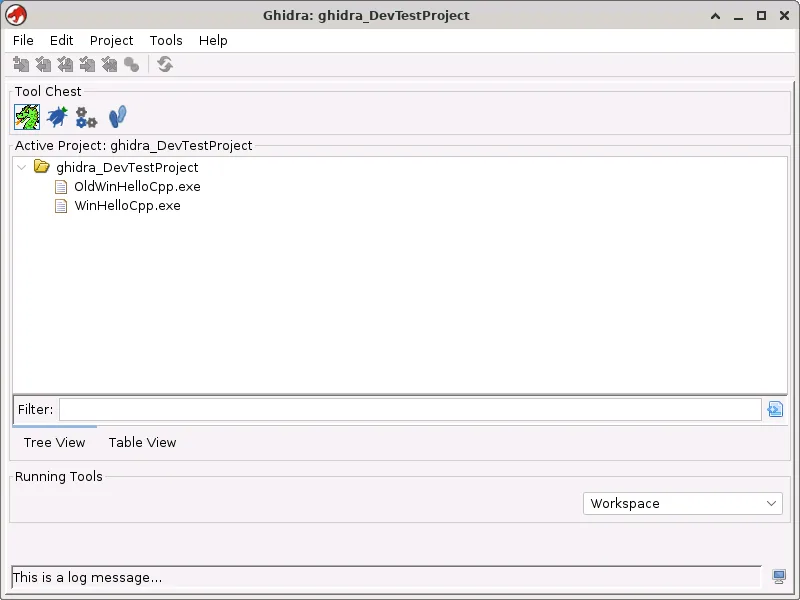
The new installation normally reuses the saved profile from the most recent Ghidra version. That preserves tool configurations but can also keep old defaults instead of exposing new tool options. The official guidance recommends using Tools > Default Tools... from the Project Manager when you want fresh tool configurations. Test custom scripts and extensions separately because compiled extensions may depend on a specific Ghidra API version.
- 1
Back up projects
Close Ghidra and copy each .gpr file with its complete .rep directory.
ProjectName.gpr + ProjectName.rep/ - 2
Download the new release
Use the named PUBLIC asset on the official GitHub release page and verify its checksum.
ghidra_12.1.3_PUBLIC_20260817.zip - 3
Extract beside the old version
Keep the old application directory until the new release and required extensions are tested.
ghidra_12.1.3_PUBLIC/ - 4
Open a backed-up project
Review upgrade prompts and use Save As if the project must remain usable in the older release.
File > Save As
Where to verify official Ghidra releases
Use official Ghidra releases on GitHub for version numbers, dates, assets, and release-specific checksums. Use the tagged Getting Started document for platform requirements and installation details. Use What's New and Change History for features and fixes. Use Security Advisories for vulnerability information rather than relying on a download mirror's “safe” badge.
Ghidra's project repository is the primary source for code, issues, documentation, and release artifacts. The NSA's Ghidra website can provide project-level navigation, but direct asset verification is easiest on the tagged GitHub release. This independent site summarizes those facts and directs every download button to the official repository; it does not certify that a release has no vulnerabilities.
For automation, the GitHub Releases API can identify the newest published release and its assets. A production site should cache and review that data rather than blindly rewriting user-facing facts. Version, filename, date, byte size, checksum, requirements, and release notes must move together when a new release becomes current.
| Question | Best official source |
|---|---|
| What is the latest version? | GitHub Releases |
| Which file should I download? | The named PUBLIC ZIP under the selected release's Assets |
| What changed? | What's New and Change History linked from that release |
| What Java and OS versions are supported? | The tagged Getting Started document |
| Does a version have known security issues? | Security Advisories |
Ghidra releases and version questions
What is the latest Ghidra version?
Ghidra 12.1.3 is the latest official release verified on August 22, 2026. It was published August 18, 2026. Check official GitHub Releases for anything newer after that date.
Where can I find older Ghidra releases?
Browse official Ghidra releases on GitHub and open the required tag for Ghidra 12.0, 11.3.2, or another version. Do not rely on unknown mirrors, and review security advisories before using an old version.
Can I install a new Ghidra release over the old folder?
No. The official guidance says not to extract over an existing installation. Use a new directory and keep the old version until projects and extensions are tested.
Will a newer Ghidra version open old projects?
It can prompt to upgrade older program data. Back up first. Saving an upgraded program may prevent it from opening in the older Ghidra version.
Why does an extension stop working after a Ghidra update?
Compiled extensions can target a particular Ghidra API and release. Install a compatible extension build or rebuild it against the new fully built Ghidra installation.
Download the latest Ghidra release
Get Ghidra 12.1.3 from the official GitHub asset and extract it into a new installation directory.